Atelier Mirror for Shopify
Let shoppers see it on themselves — right inside your Shopify store.
Atelier Mirror is built to reduce returns and their impact on your EBITDA. It adds a “Virtual Try-On” button to your product pages: shoppers upload a photo, see the garment on their own body and pose, and add it to cart with a clearer idea of how it looks on them. Fewer returns means less spent on shipping, handling and resale.
AI-native technology for more responsible fashion.
We help fashion brands bring virtual try-on experiences to online shopping, empowering customers to make more informed purchasing decisions and supporting the transition towards more responsible fashion e-commerce.
- Setup
- Theme app embed, no code
- Works with
- Online Store 2.0 themes
- Category
- Apparel, shoes & bags
- Data
- Photos never shared with you
See it in action
How it looks in your store
01
Switch it on
In your theme editor, open App embeds, turn on Atelier Mirror try-on and save. No code.
02
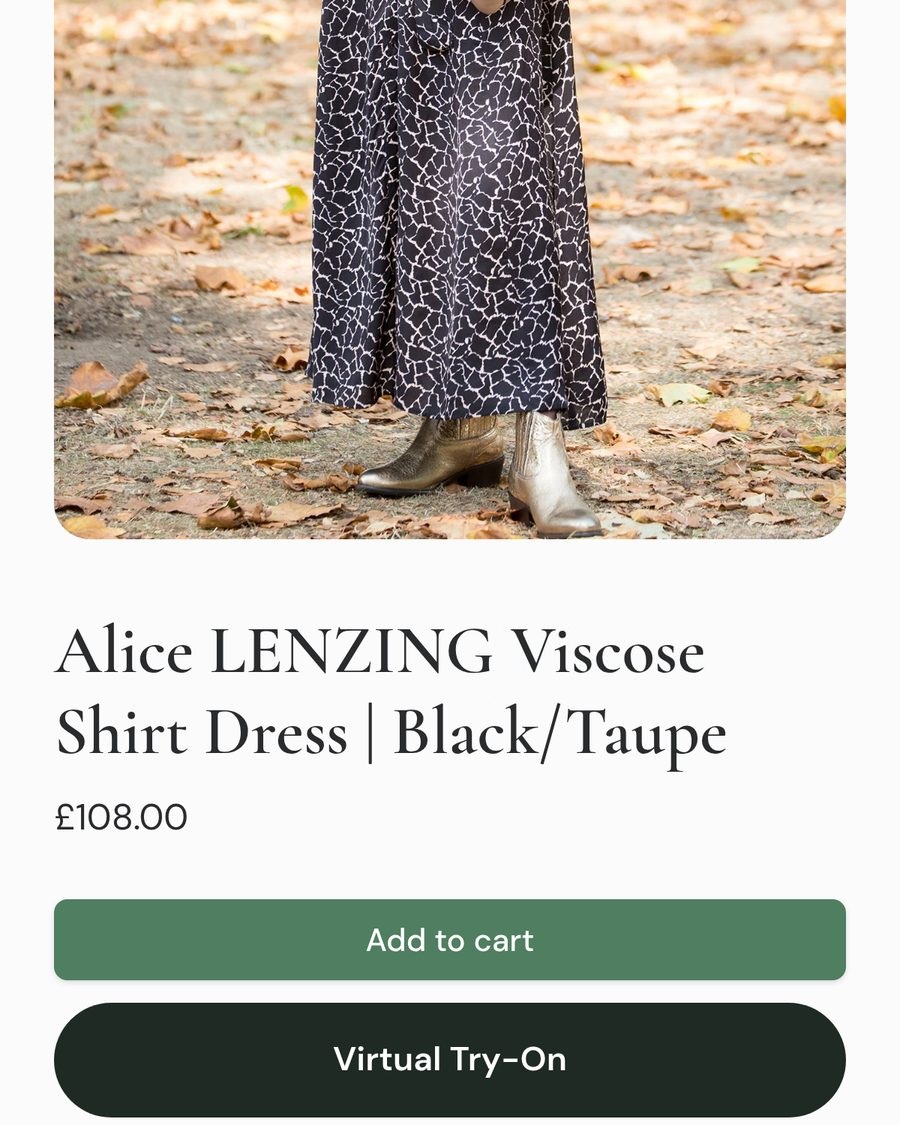
The button appears
Every product page gets a Virtual Try-On button under Add to cart or Buy it now.
03
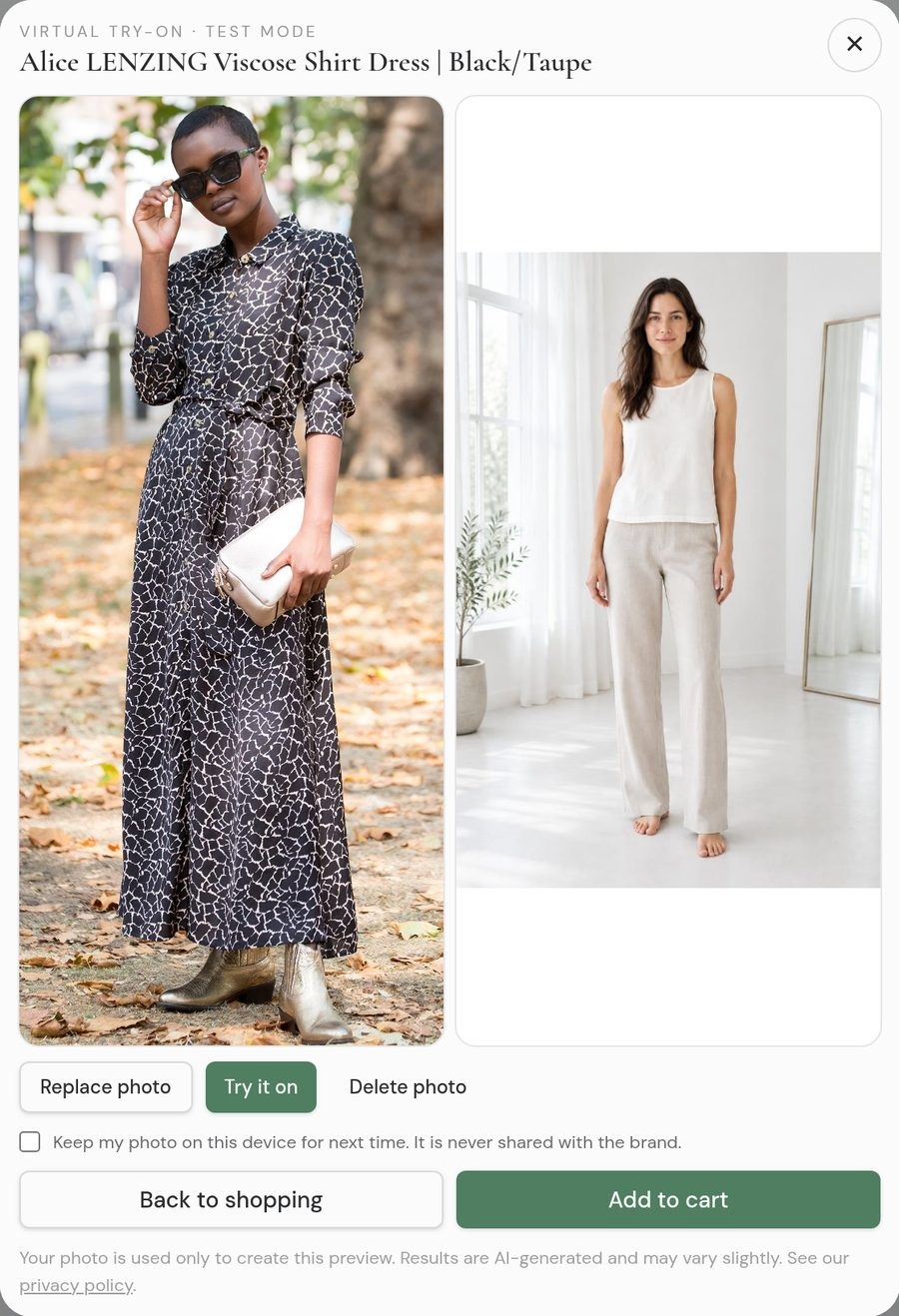
Shoppers add a photo
The pop-up opens over your product page, next to your own product images.
04
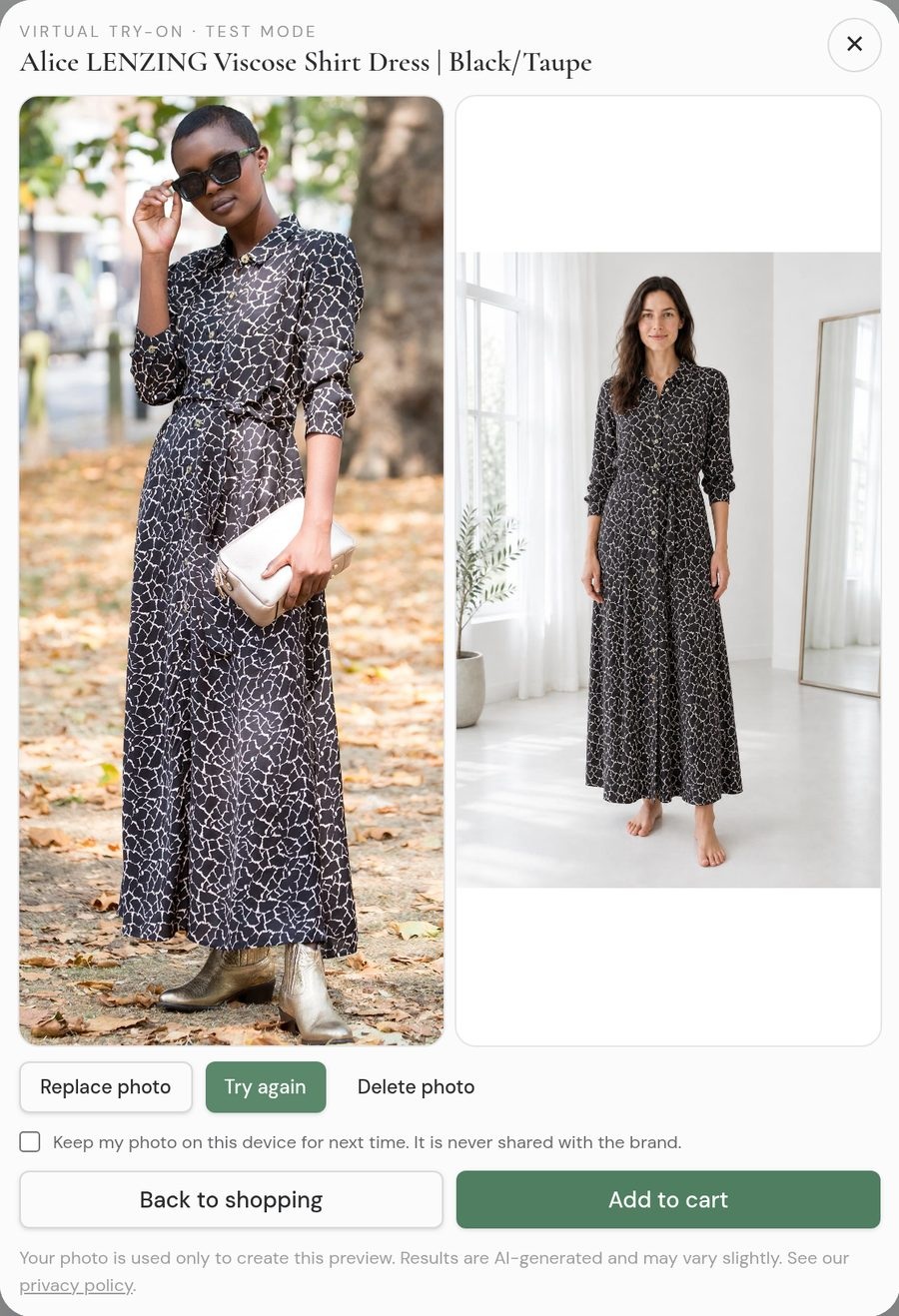
Try on, then add to cart
They see the piece on themselves and add the chosen size to your Shopify cart.
Theme editor shown as a simplified drawing; try-on images are real screenshots from our demo store. Results are AI-generated and may vary slightly.
Highlights
What the app does
01
Try-on on every product page
Turn it on once in the theme editor and the button appears under Add to cart or Buy it now.
02
Body-preserving results
The shopper stays exactly as photographed; only your garment is placed on them.
03
Reads your catalogue
Uses your Shopify product images and descriptions to keep each item’s true shape and colour.
04
Add to cart from the pop-up
The selected size goes straight into the Shopify cart.
05
Fit guidance
Shows your own fit wording such as “true to size” or “runs large”.
06
Matches your brand
Choose button label, colours, shape and placement. Test mode before you go live.
Benefits
Why brands install Atelier Mirror
01
Aim for fewer returns
Reduce style uncertainty before checkout — measured with you during a pilot.
02
Higher purchase confidence
Shoppers see the piece on themselves at the moment they decide.
03
Better EBITDA potential
Each avoided return saves shipping, handling and resale costs.
04
Engagement insights
See button views, try-ons and shop clicks for your store.
05
Privacy first
Clear shopper consent, optional device-only photo saving, GDPR privacy requests handled.
06
Light on your store
Loads after your page, isolated from your theme’s styles.
Install
Up and running in minutes
- 1. InstallAdd Atelier Mirror to your Shopify store.
- 2. EnableOnline Store → Themes → Customize → App embeds → Atelier Mirror.
- 3. StylePick the button label and colours.
- 4. Go liveTest, then switch to normal mode.
The Shopify App Store listing is in preparation. Book a demo and we will set your store up directly in the meantime.